Description
Rivano RN SP-104 User Manual
Before You Start
Thank you for choosing the Rivano RN SP-104. Please read this manual before first use and keep it for future reference.
Product Overview
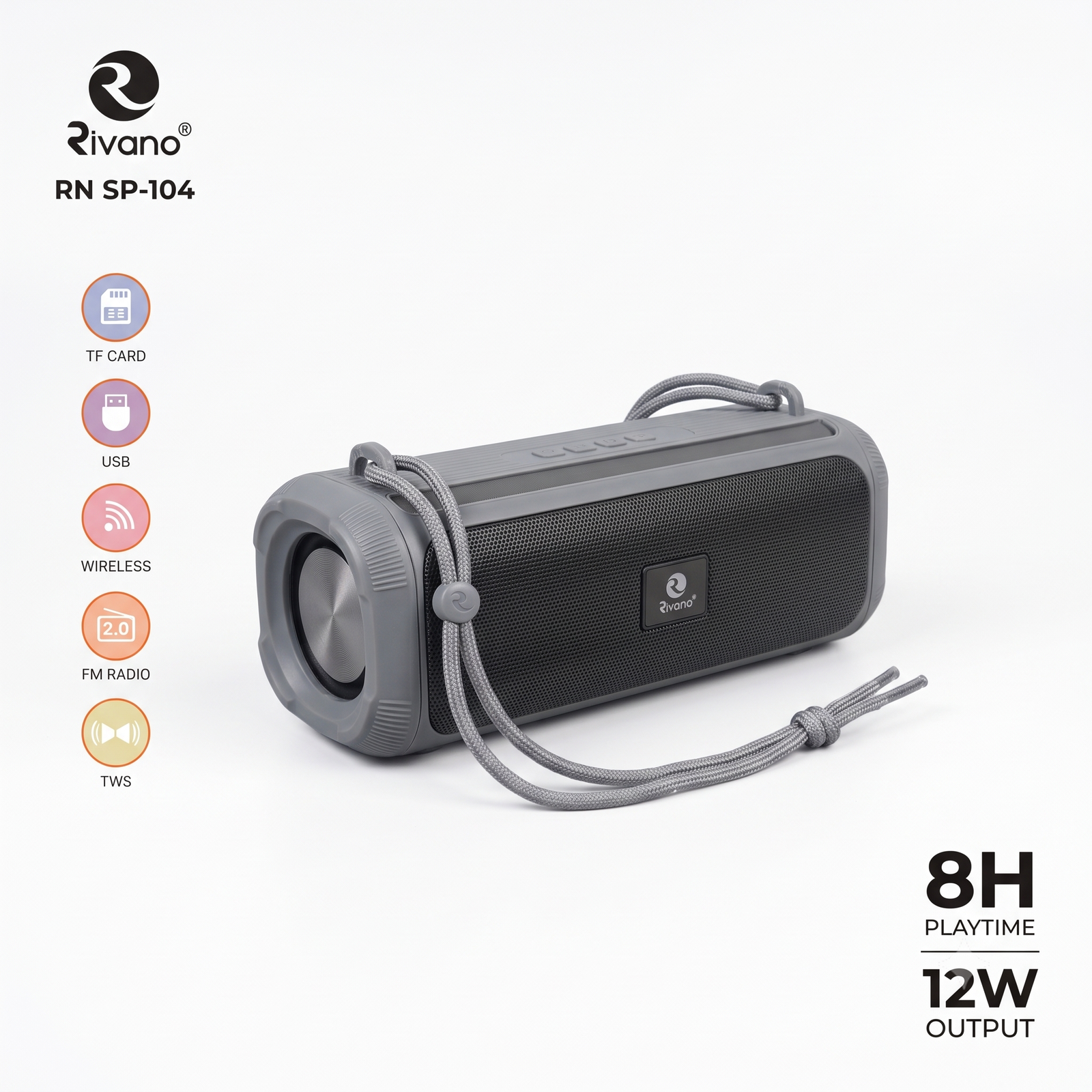
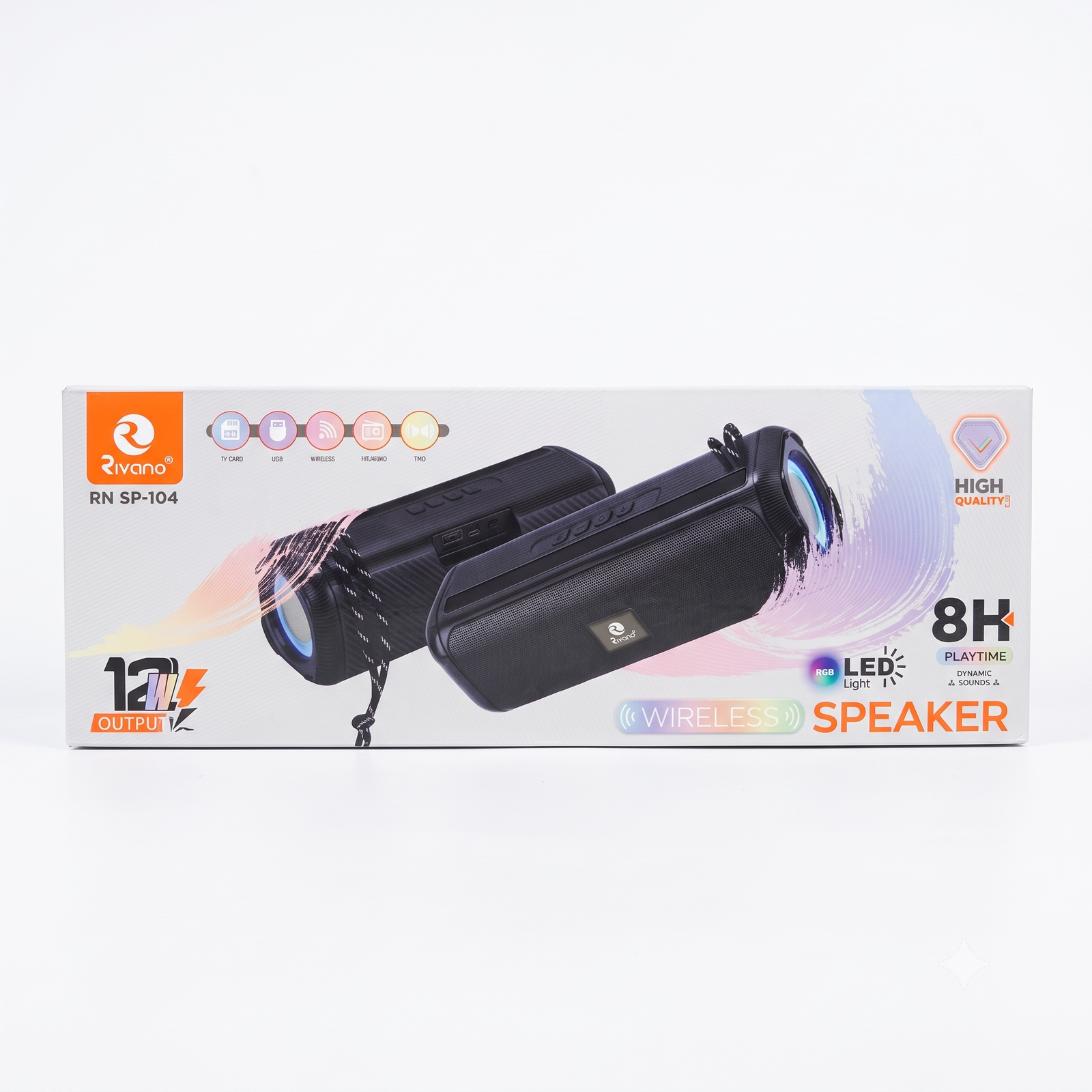
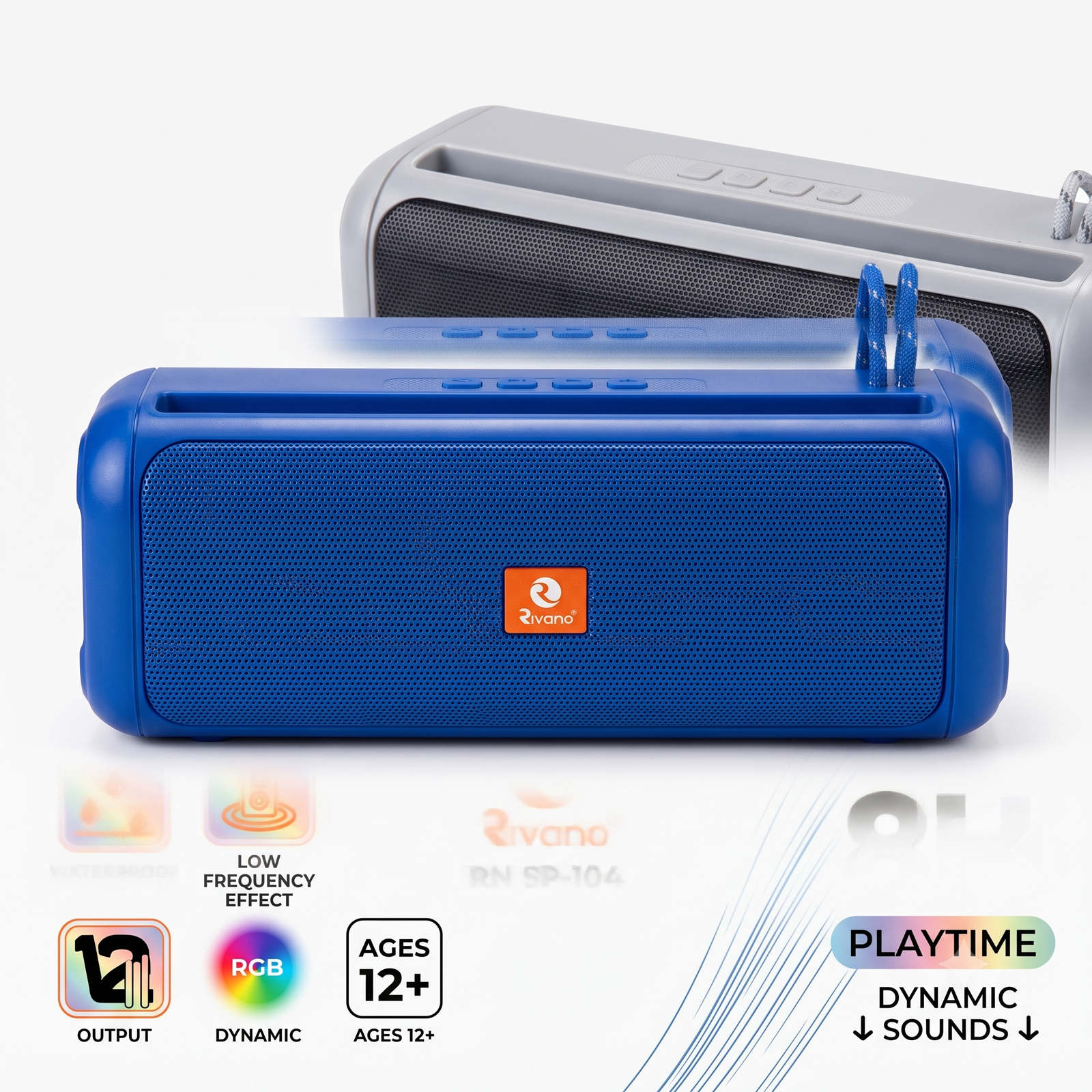
- Top panel: four control buttons (play/pause, previous, next, and volume or mode)
- Top slot: holds your phone upright while you listen
- Front grille: metal-mesh speaker cover
- Side strap: braided loop for carrying or hanging
- Charging port and indicator light: [confirm location with your supplier]
1. Charging
- Connect the charging cable to the speaker’s charging port and to a 5V adapter or power bank.
- The indicator light shows charging status. [Confirm: for example, red while charging and off or green when full.]
- Charge fully before first use. Allow a few hours for a full charge.
- Do not use the speaker while it is charging in wet places.
2. Turning On and Off
- Power on: press and hold the power or play button for about 3 seconds until you hear a startup tone.
- Power off: press and hold the same button for about 3 seconds.
3. Connecting by Bluetooth
- Turn on the speaker. It enters pairing mode automatically, and the light blinks.
- On your phone, open Settings and turn on Bluetooth.
- Search for the device named RN SP-104 (confirm the exact name) and tap to connect.
- A connection tone confirms pairing. Play any music or video from your phone.
- Next time, the speaker reconnects automatically if Bluetooth is on and the phone is nearby.
Keep the phone within about 10 meters of the speaker for the best connection.
4. Button Controls
| Action |
How |
| Play / Pause |
Short press the play button |
| Next track |
Short press the next button |
| Previous track |
Short press the previous button |
| Volume up / down |
Press and hold the volume or track buttons |
| Answer / end call |
Short press play (if the speaker supports calls) |
Button functions may differ slightly, so confirm against your unit.
5. RGB Lights
The speaker has dynamic RGB lights that move with the music. To switch lighting modes or turn them off, use the light button or the button combination listed for your model. [Confirm with your supplier.] Turning the lights off can extend playtime.
6. Using the Phone Slot
Place your phone in the top slot to watch videos or follow lyrics while listening.
7. Waterproof Care
- The speaker resists splashes and light water exposure. [Confirm the IP rating, such as IPX5 or IPX7.]
- Keep the charging port cover closed (if fitted) before using near water.
- Do not charge the speaker while it is wet. Dry it fully first.
- Do not submerge it beyond its rated depth or time.
- Rinse off salt water or dirt with fresh water, then dry with a soft cloth.
8. Safety Tips
- Suitable for ages 12 and above.
- Do not open, drop, or hit the speaker.
- Keep away from fire, extreme heat, and direct sunlight for long periods.
- Use a good-quality charger and cable.
- Avoid very high volume for long periods to protect your hearing.
9. Troubleshooting
| Problem |
Solution |
| Won’t turn on |
Charge the speaker fully |
| Won’t pair |
Turn Bluetooth off and on, delete old pairing, and try again |
| No sound |
Raise the volume on both the speaker and phone |
| Sound cuts out |
Move closer to the speaker and remove obstacles |
| Not charging |
Try a different cable or adapter |
10. Specifications [fill in from your supplier]
- Model: RN SP-104
- Output power: 12W (confirm)
- Playtime: up to 8 hours (confirm)
- Bluetooth version: ____
- Battery capacity: ____
- Charging time: ____
- Waterproof rating: ____
Support
For help or replacement, contact Suriyaen Shopping: 9489265785



Reviews
There are no reviews yet.